Harmony is Key!
Have you ever wondered, why certain songs just don't match, even though their beats perfectly align?
Often this is the case, because they are in a different tonal key. Songs in incompatible keys simply sound dissonant when mixed together.
To mix your songs harmonically, you first have to figure out, what key they are in. And if you're a good musician, you might be able to do so, by listening and playing chords on your piano. Most likely though, you are much better off letting beaTunes determine the keys of your songs automatically with its kick-ass, state of the art key detector.
Once you have determined the key of songs in your library, you can build playlists based on them (and other properties). The Open Key Notation will help you to find matching songs, even if you're not a professional musician.
Here's how it works
- Get the free beaTunes trial version for Windows or Mac and install it on your computer
- Start beaTunes
- If you want other programs like Traktor to be able to read the key, open the beaTunes general preferences and make sure that non-iTunes/Music fields are embedded
- Select the songs you want to process and click on Analyze
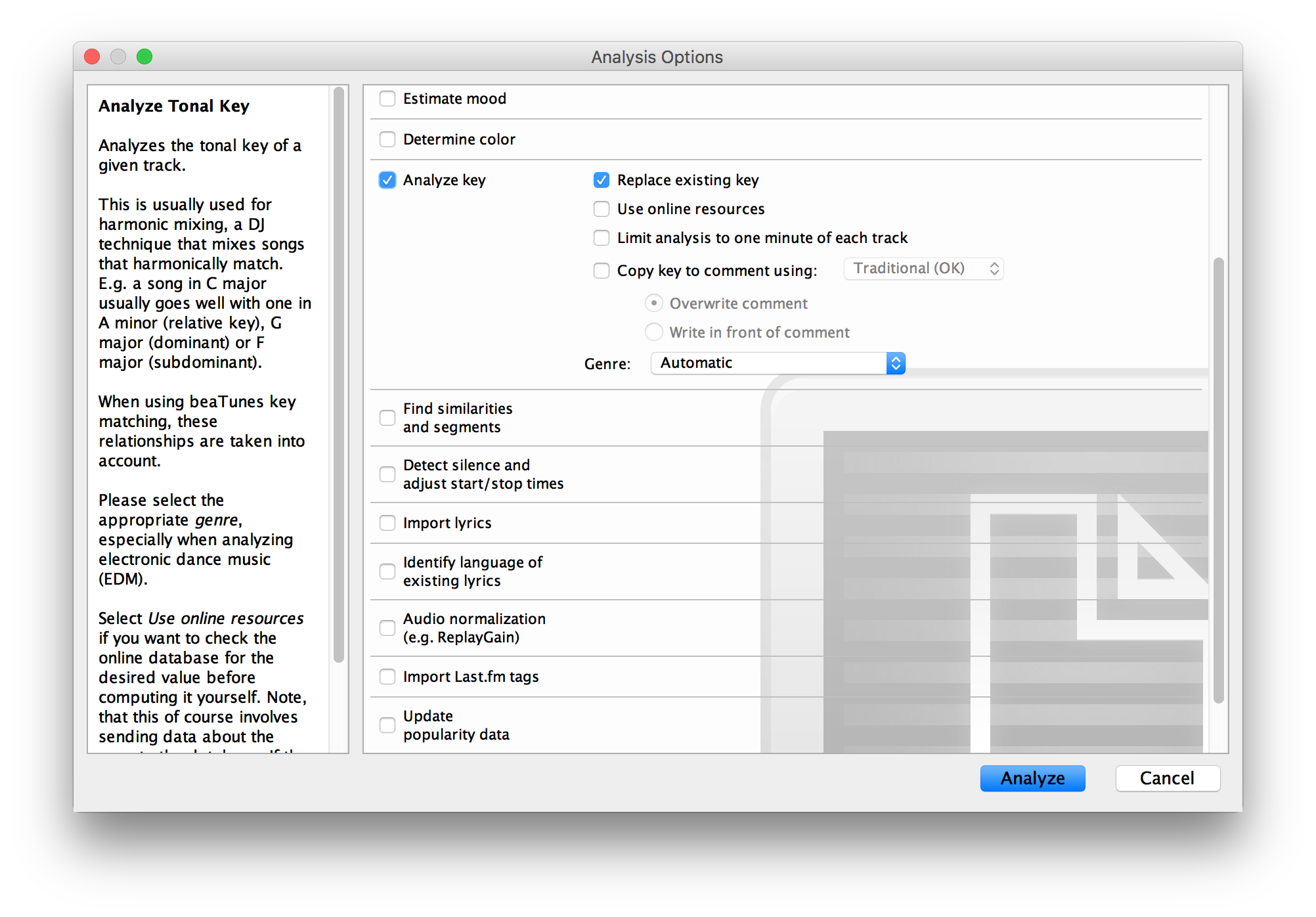
- beaTunes will now show you the analysis options dialog:
-
Choose Analyze key, select whether you want to replace already existing key values (probably not)
and whether beaTunes should use online resources ('no' will currently lead to better results)
- then start the analysis
(you might also want to check the Estimate BPM checkbox while you are at it - it will help you with beatmixing) - The songs are now analyzed in the background
- To track progress, click on the Task Queue item in the left part of the main window:
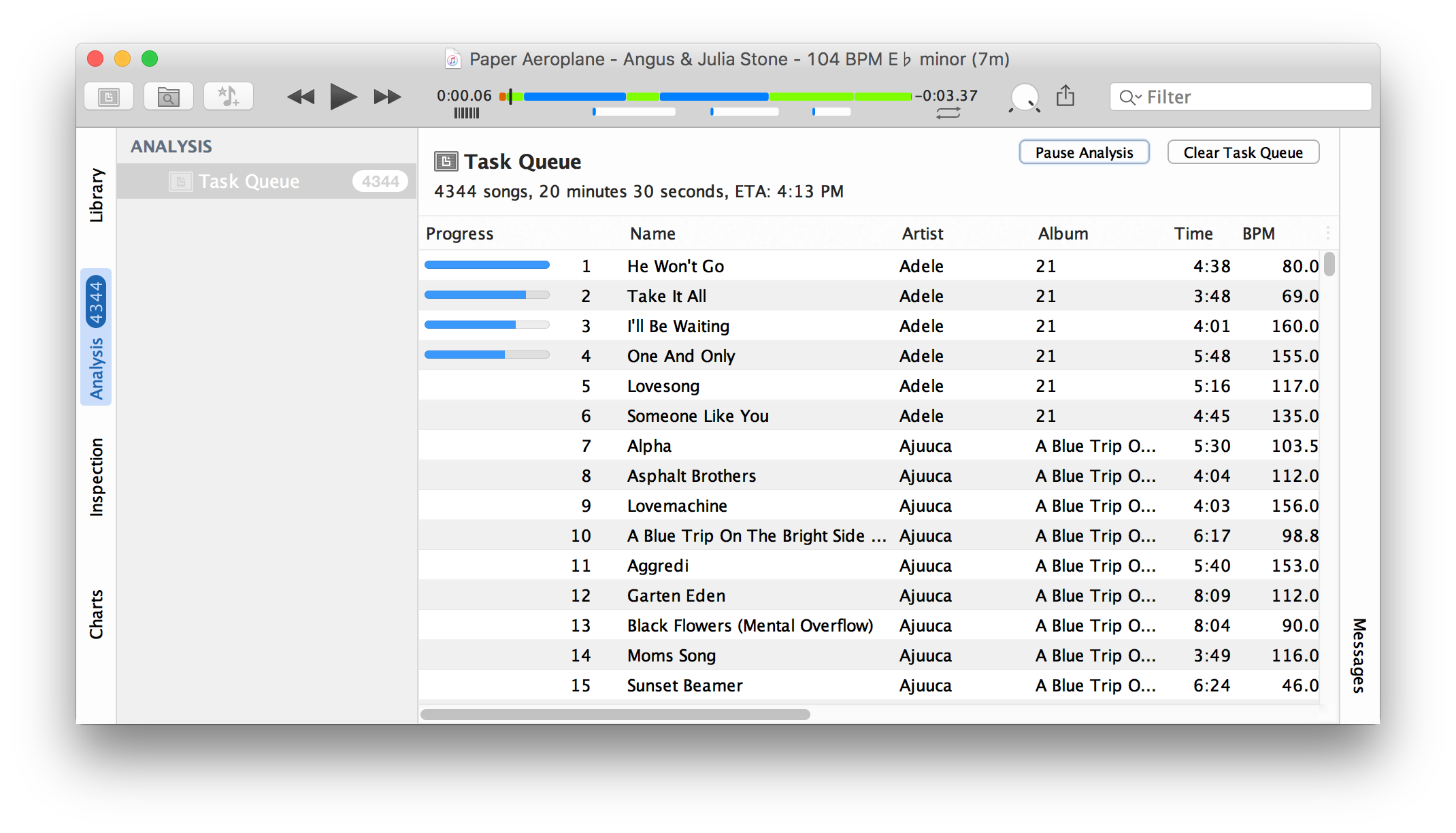
- The progress bar in the first row shows how much of the analysis of this song is completed
- When the analysis is running, the Pause Analysis button is enabled allowing you to pause analysis at any time
- Key analysis is a one time effort that takes some time - we recommend to run it over night
- Note, that when you shut down beaTunes and restart it, it resumes analysis where you stopped it
Pretty easy. Now would you like to analyze your music collection? Get the free trial version.
More
beaTunes has a lot more useful features to analyze your music, adjust loudness via ReplayGain, keep your library in shape, browse your songs in new ways, analyze your music, and help you to create interesting playlists.